Install LMCP
The signed installer gets your computer ready.
MCP for macOS and Windows
Connect any AI — web or desktop to your Mail, Calendar, iMessage, Teams, Slack, WhatsApp, Signal, OneDrive, Google Drive & Office.
Chosen cloud AI providers and connectors receive the content needed for your requests.
LMCP is built for macOS today.
your platform is on the roadmap — leave your email and we'll tell you the moment it ships.
Allow read access to Calendar and Mail
You have a meeting at 10. I found four relevant messages.
“Prep my 10 a.m. — pull the thread and the files they mention.”
Steve H.
Strategic Advisor
“This is AMAZING! My daily work can all be managed from my key apps now.”
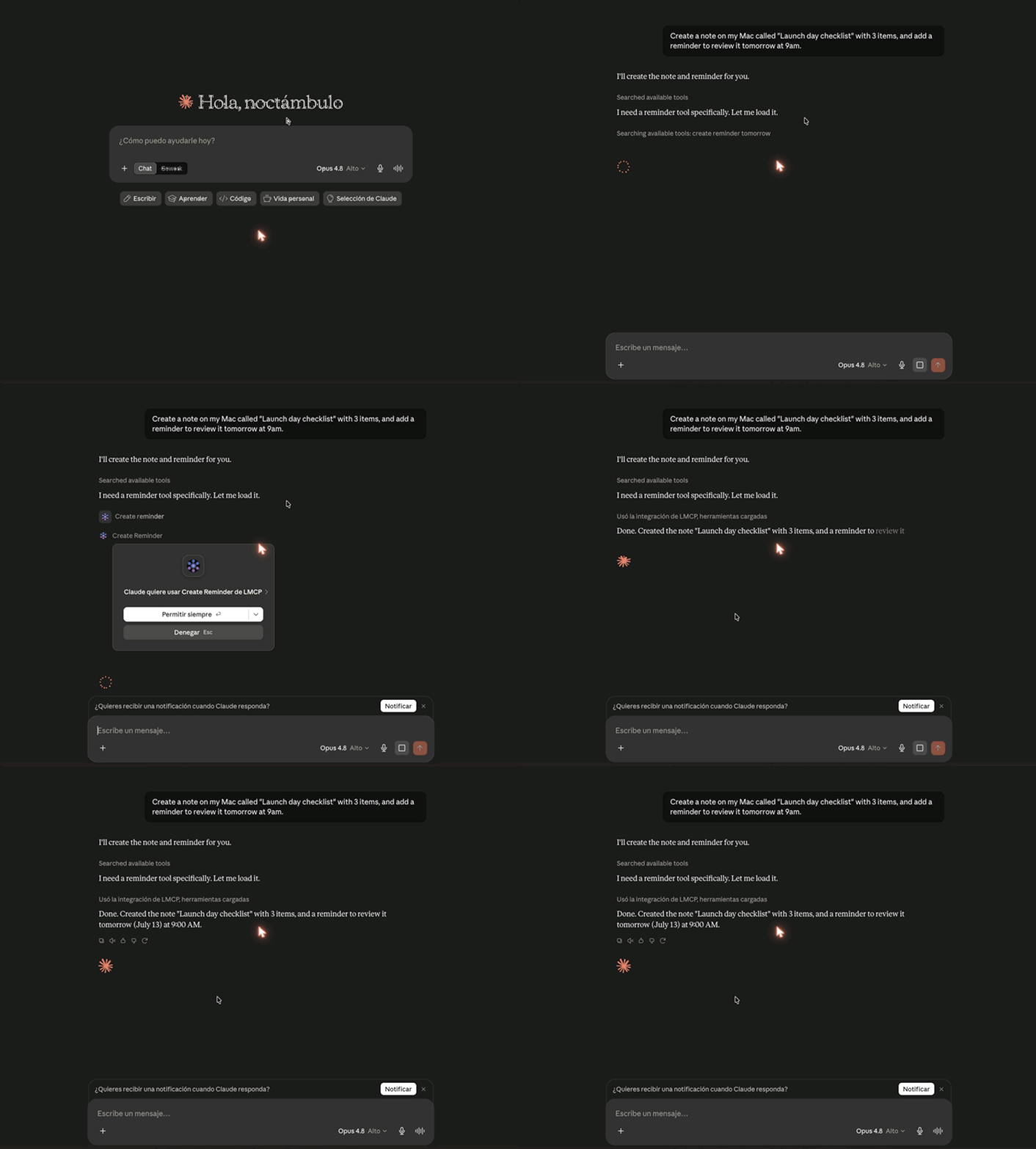
Real recording — Claude.ai (web) using desktop apps through LMCP. Review permissions and the schema of each tool. Preview and confirmation support vary by tool; authorize actions before execution.
“This is AMAZING! My daily work can all be managed from my key apps now. The OmniFocus integration was the missing piece.”
Steve H.
Strategic Advisor · OmniFocus + Mail + Calendar user
“The no-tokens part is huge. Setting up Graph API and dealing with auth flows is what usually kills these setups for me before I even start.”
Lisa S.
Software Engineer · Teams + OneDrive user
“It has seriously impacted my productivity and made my life so much easier.”
LMCP user
 Claude Desktop
 ChatGPT
 CursorClaude.ai
 VS Code
 Windsurf
 Zed
Zed RaycastGrok
 Perplexity+ any MCP client
A short path to completing a real task.
The signed installer gets your computer ready.
Choose the MCP client you already use and follow its guide.
Try a tool and approve any sensitive action.
Start with the outcome you searched for. Each path leads to existing guides, tools, and recipes.
A focused sample of the catalog. Browse the full reference when you need a specific integration.
Read, search, send and reply to emails from Mail.app or Microsoft Outlook. Works with Exchange, Gmail, Outlook, and iCloud accounts.
Setup guide →List events, create meetings, and check availability across all your calendar accounts.
Setup guide →Search and access your full contact list. Find people by name, email, or company in seconds.
Read chat messages and channel conversations directly from Teams — without tokens or Graph API.
Setup guide →Read workspace messages and search across channels — no API tokens needed. Works directly with your local Slack data.
Read and search iMessage conversations. Find what someone sent you without scrolling.
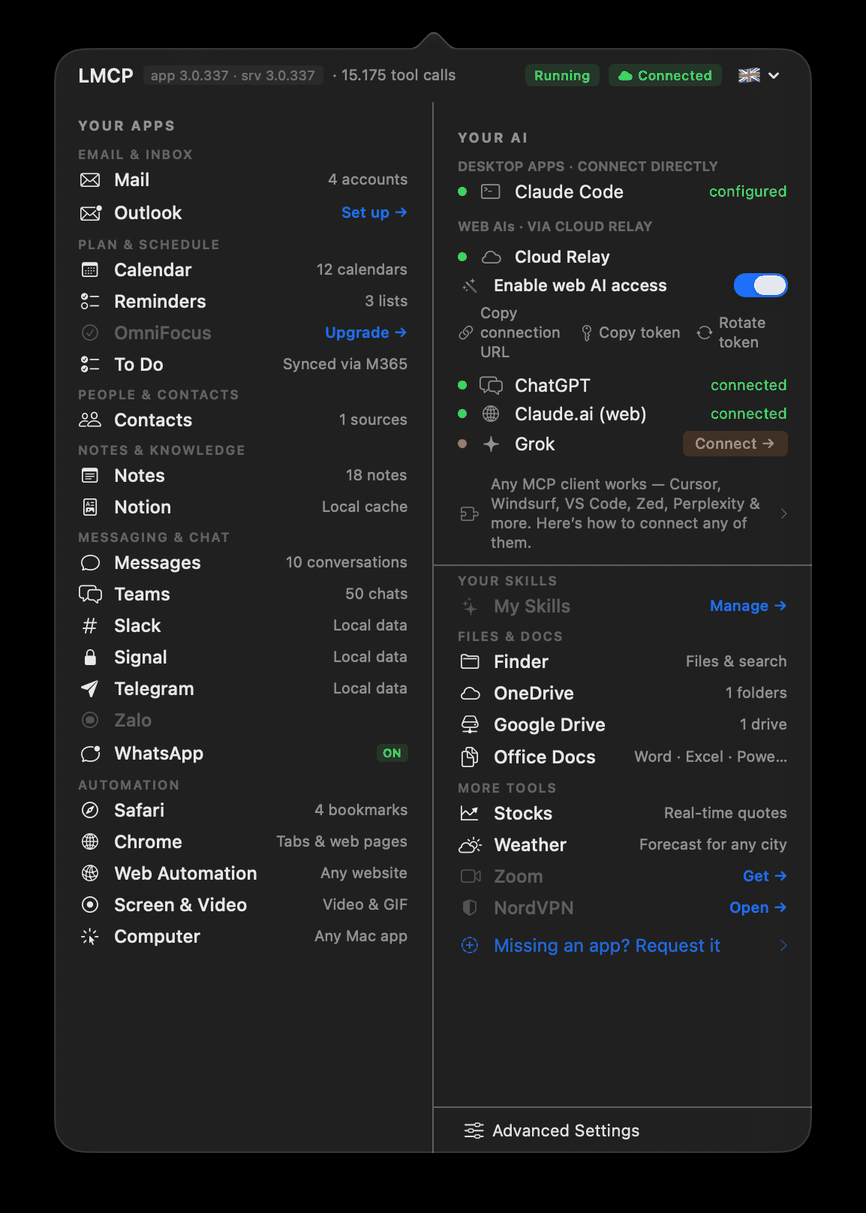
Menu bar app — status at a glance
Direct answers here; detailed policies and setup guidance remain on their existing pages.
Tools run on your device. Cloud models and optional connectors receive only the content needed for requests you make.
You choose which applications LMCP can access. Sensitive actions expose their permission boundary before execution.
LMCP supports compatible MCP clients, including Claude, ChatGPT, Cursor, VS Code, and other desktop or web clients.
Yes. Existing setup and help pages explain removal and how to revoke application permissions.
Three concrete workflows show the range. The full recipe library remains one click away.
The bottleneck
WhatsApp orders arrive all day — someone copies them manually into the orders spreadsheet
Tell your AI:
"Read today's WhatsApp orders and add each one to the orders Excel file."
AI reads WhatsApp chats, extracts customer, items and amounts, writes each row to Excel — no manual entry.
The bottleneck
Client emails pile up and follow-ups fall through the cracks
Tell your AI:
"Check unread client emails, log each one in the CRM spreadsheet and create a follow-up reminder."
AI reads Mail, writes to Excel, creates Reminders — every new client email handled without app switching.
The bottleneck
Invoices arrive by email but filing them to the right OneDrive folder is tedious manual work
Tell your AI:
"Find today's invoice emails, save attachments to OneDrive/Finance/2026 and mark them as filed."
AI reads Mail, saves each PDF to the right OneDrive folder, flags the email — done in seconds.